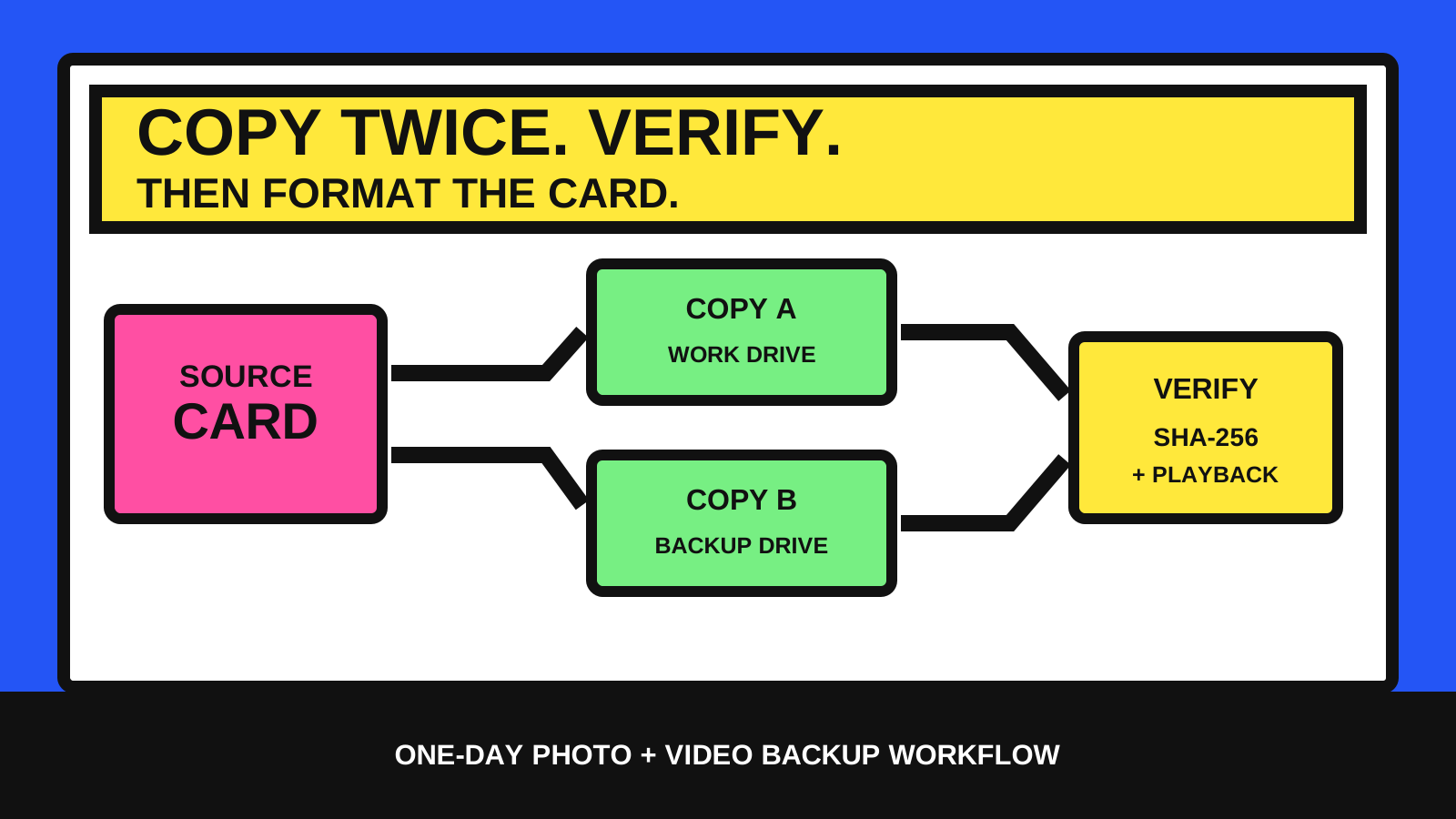
The camera card is the source, not the archive
At the end of a shoot, the card may hold the only copy of the work. Importing it once does not create a dependable backup, and seeing thumbnails does not prove that every file arrived unchanged.
A small one-day workflow needs a clear finish line: make two readable copies on separate storage, verify the transfer, record what was copied, and keep the original card untouched until those checks pass.
- Label every card before it leaves the camera or recorder.
- Copy to two physically separate storage devices.
- Verify the copied files instead of trusting a completed progress bar.
- Do not format the source card while any check is unresolved.
Prepare the folders and labels before copying
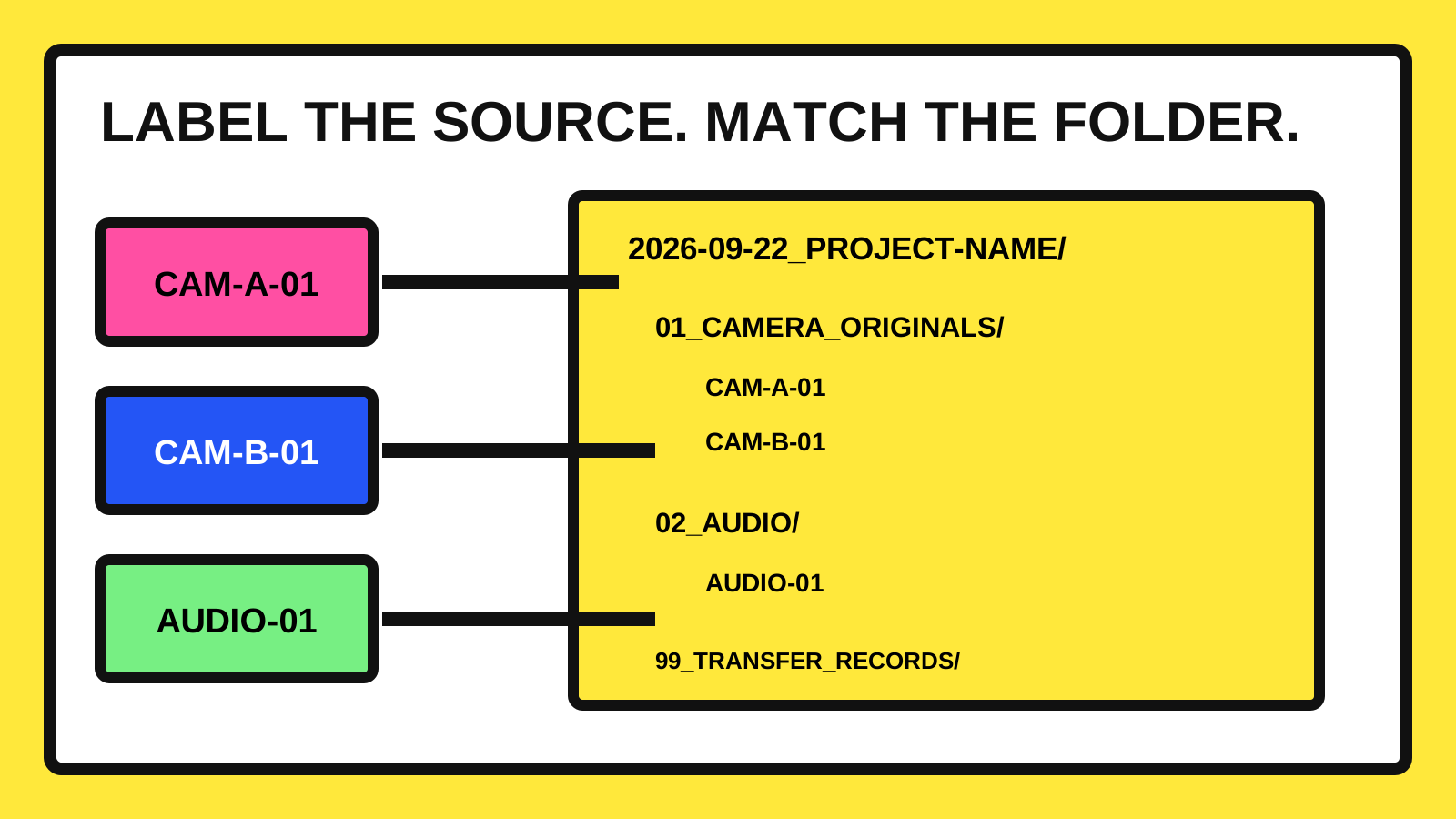
Use short physical labels such as CAM-A-01, CAM-B-01 and AUDIO-01. Match those labels to folders so a file can be traced back to its source without relying on camera-generated filenames.
Create the job folder before the first transfer. A date and plain project name sort well, while numbered subfolders keep originals separate from project files and exports.
- 2026-09-22_project-name/01_CAMERA_ORIGINALS/CAM-A-01
- 2026-09-22_project-name/02_AUDIO/AUDIO-01
- 2026-09-22_project-name/03_PROJECT_FILES
- 2026-09-22_project-name/04_EXPORTS
- 2026-09-22_project-name/99_TRANSFER_RECORDS
Make copy one and copy two independently
Copy the complete card to working storage, then make a second complete copy on a different drive. If possible, read from the card again for the second transfer instead of duplicating the first destination; that keeps one unnoticed destination problem from becoming the source of both copies.
Treat the two destinations as separate failure boundaries. Two folders on the same drive are still one storage device. An off-site copy can be added later, but it does not replace careful verification at ingest.
- Copy A: the working media drive used for the edit.
- Copy B: a separate backup drive kept disconnected when practical.
- Original card: held and not reused until both destinations pass.
Verify content, not only file counts
Compare each copied file with its source using a cryptographic hash such as SHA-256. A matching digest is strong evidence that the bytes did not change during the transfer. NIST defines the Secure Hash Standard used to generate these message digests.
Hash verification does not repair a damaged file or prove that a codec will play correctly. Open a sample from the beginning, middle and end of the shoot, include the longest clips, and check separate audio before releasing the card.
- Confirm the expected file and folder counts.
- Compare hashes between the card, Copy A and Copy B.
- Review any mismatch instead of copying over it blindly.
- Play representative clips and inspect representative stills.
Keep a compact transfer record
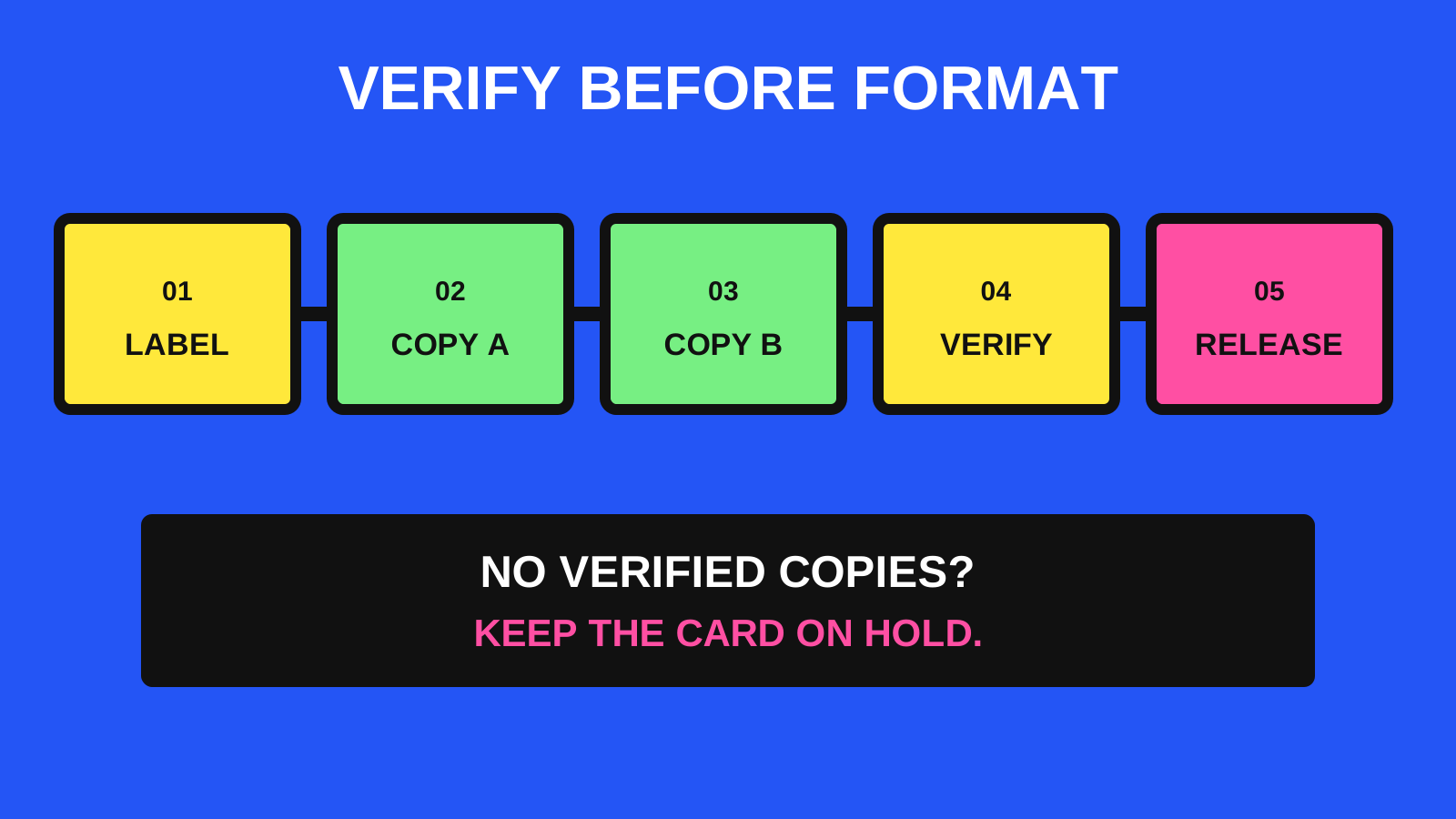
A simple text or CSV manifest is enough for a small shoot. Record the card label, destination folder names, total files and bytes, verification method, result, time, and whether the card is still on hold.
The record should describe the transfer without containing private footage, credentials or unnecessary personal details. Its purpose is to make the decision auditable when several cards or people are involved.
- Source label and device role.
- File count and total bytes.
- Copy A and Copy B destination names.
- Verification result and any exception.
- Card status: HOLD or RELEASED.
Protect originals and edit separately
Keep camera originals read-only in practice: do not rename, reorganize or edit them in place. Put project databases, cache files, proxies and exports in their own folders so they can change without changing the source copy.
Application backups are separate from media backups. Adobe notes that a Lightroom Classic catalog backup contains the catalog only, not the photographs or exports it references. The same distinction is useful across editing tools: protect both the source media and the project information needed to interpret it.
Use a clear rule before formatting
Release a card only when two separate copies exist, verification has no unexplained mismatch, representative files open correctly, and the transfer record is complete. If one condition fails, keep the card on hold.
Test this workflow with disposable sample media before using it on an important shoot. A repeatable checklist is more useful than a complicated system that nobody can follow under time pressure.
- Two separate storage devices contain the complete source.
- Hash comparison and file counts pass.
- Sample photos, video and audio open correctly.
- The manifest identifies every source and destination.
- One named person makes the final RELEASED decision.